
Clearing Cache and Cookies on Google Chrome
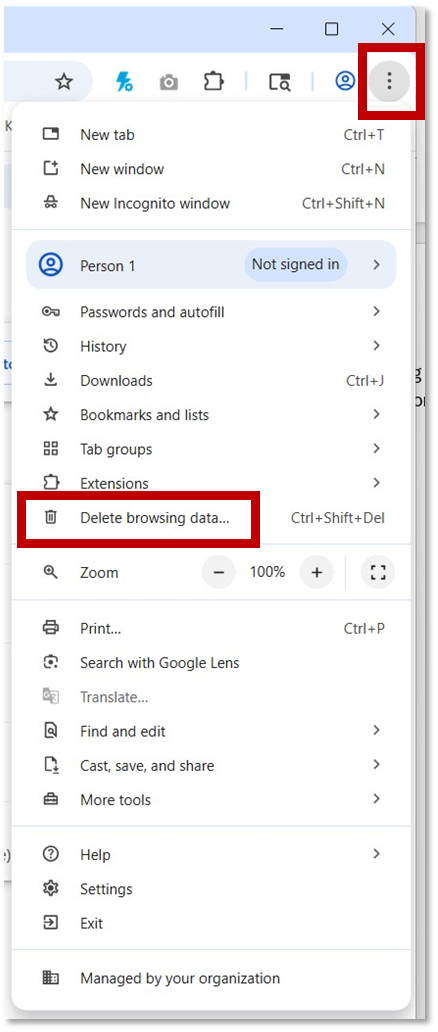
- Select the 3-dots in the top right corner of the browser > select Delete Browsing Data.
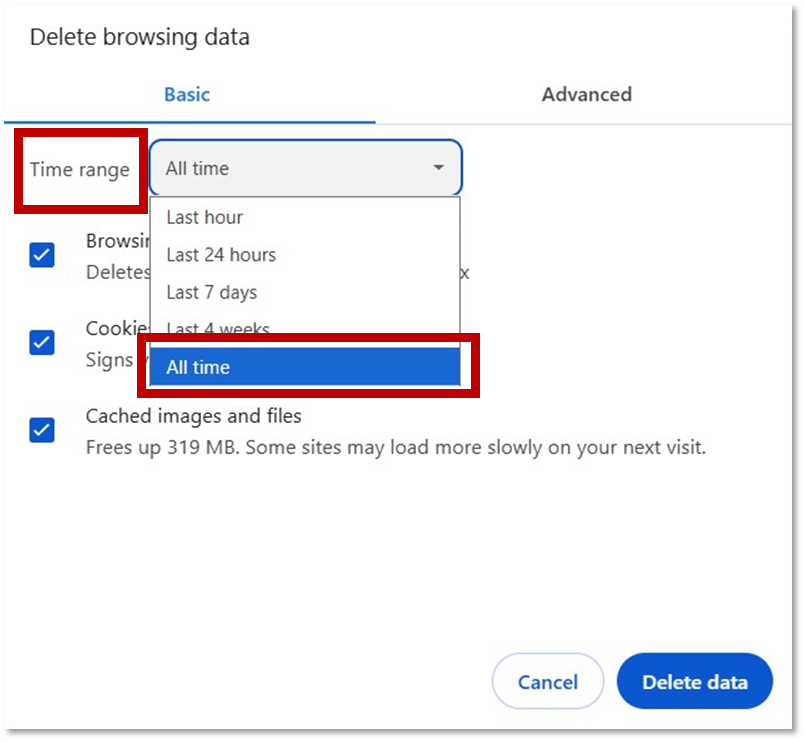
- In the Time range drop-down, select All time.
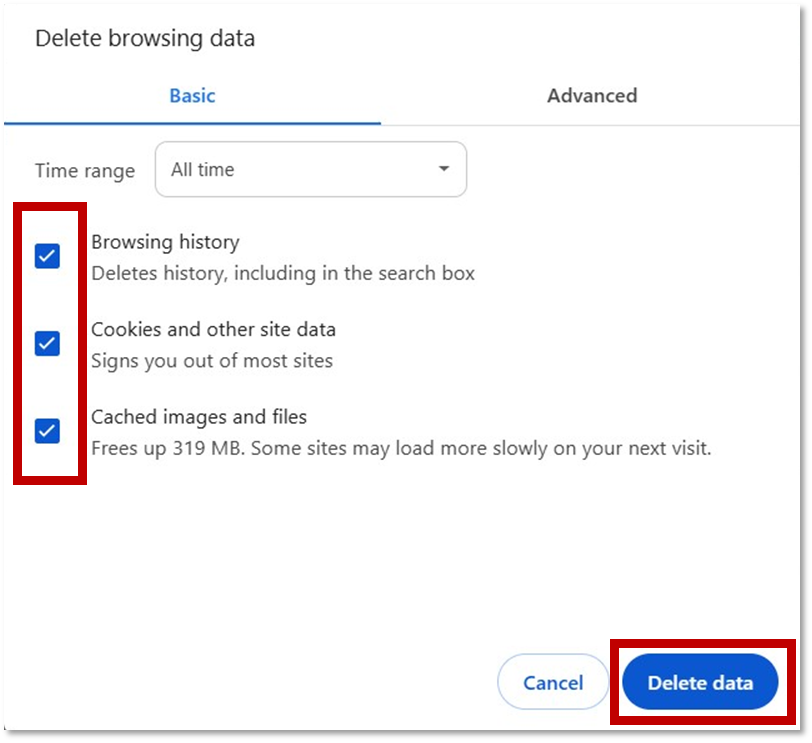
- Check all available boxes > select Delete data.
- Close and re-open your browser to refresh the changes and continue using.