Connect an Apple Computer
Before connecting your device, please note the following important information:
What are my login details?
- Your school username is a special set of letters and sometimes numbers, e.g. jodoe3.
- Your school email address is your school username, with @schools.vic.edu.au added.
- Your school password is reset each year.
- If you do not know your login details, please see your teacher as they will be able to tell you.
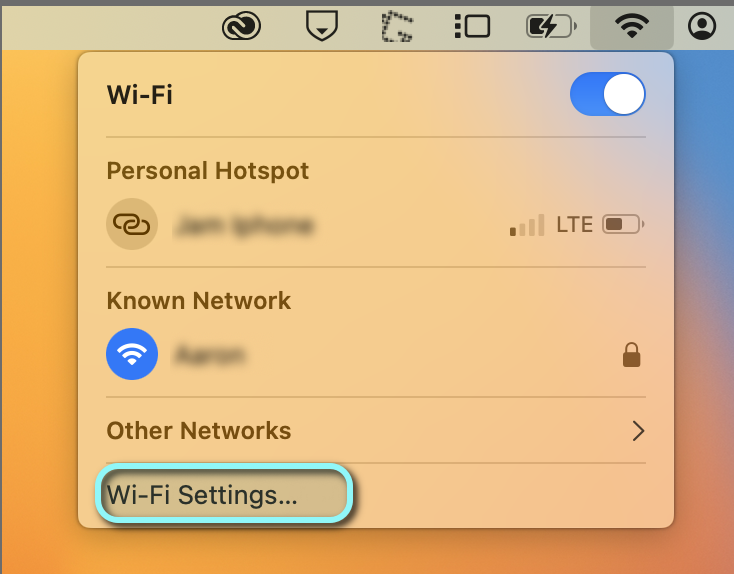
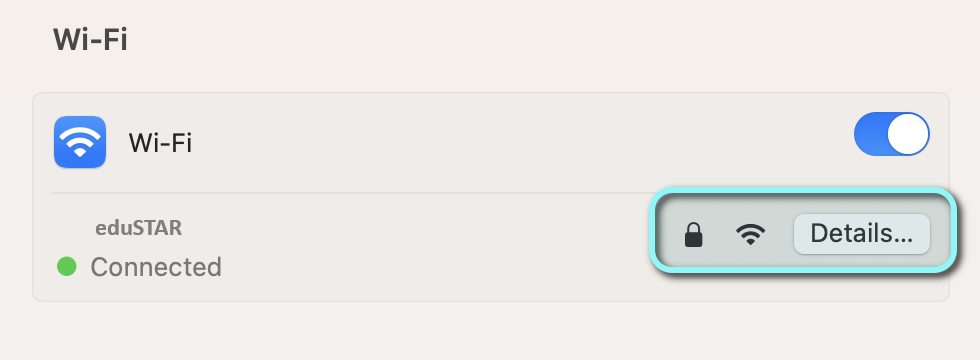
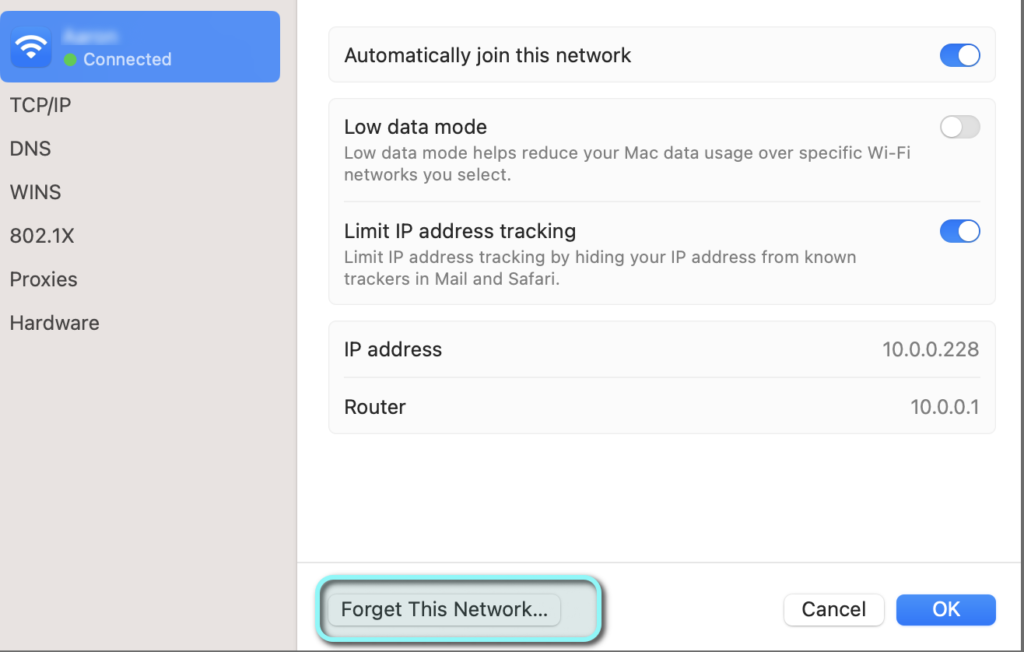
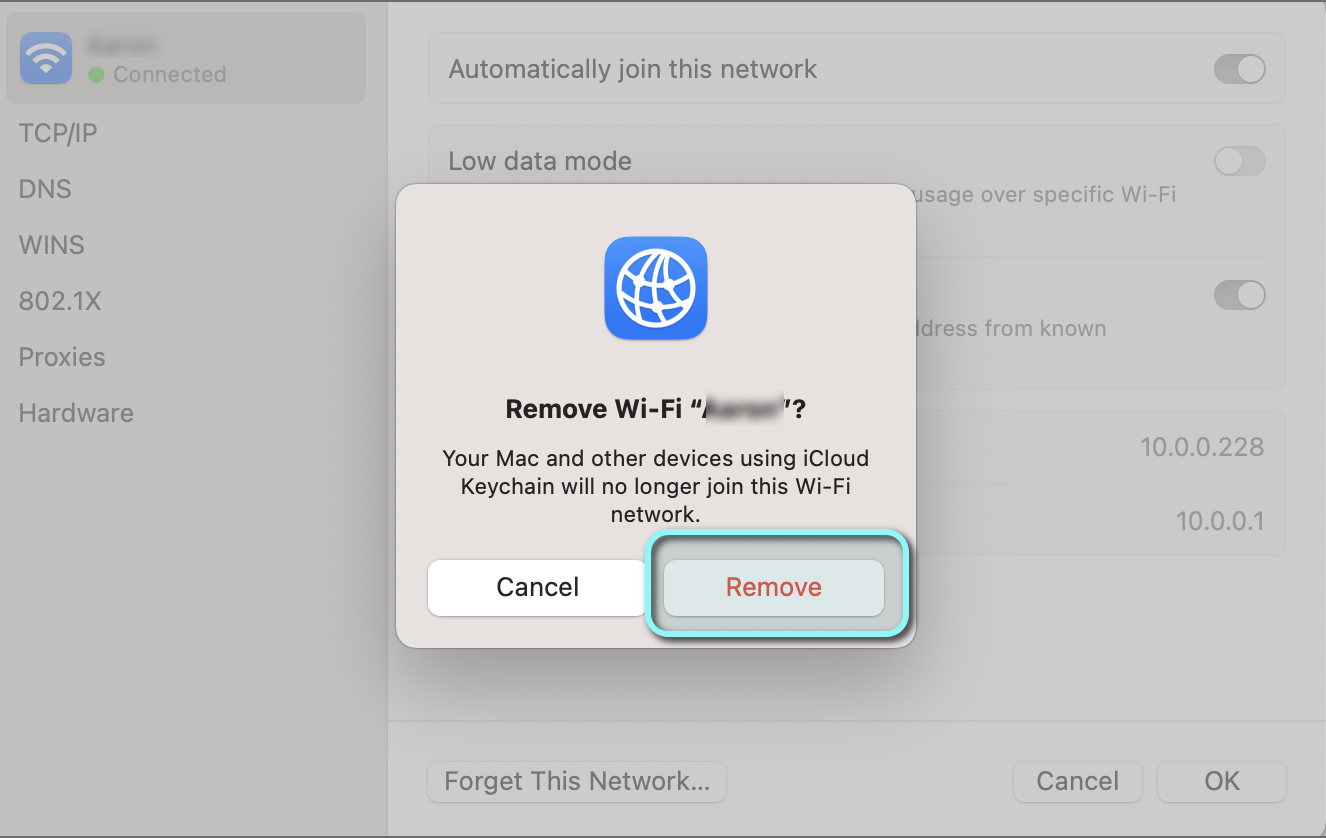
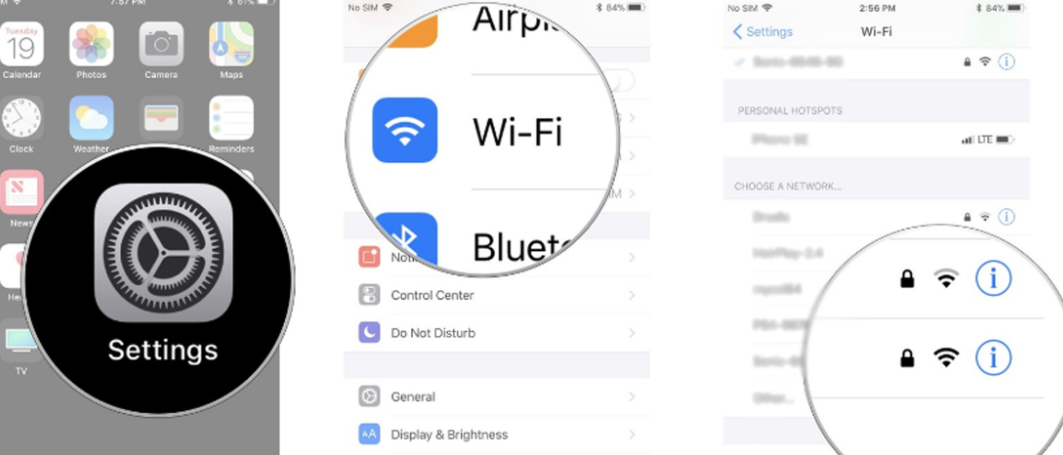
To forget a network:
| MacOS |
iOS iPads |
|
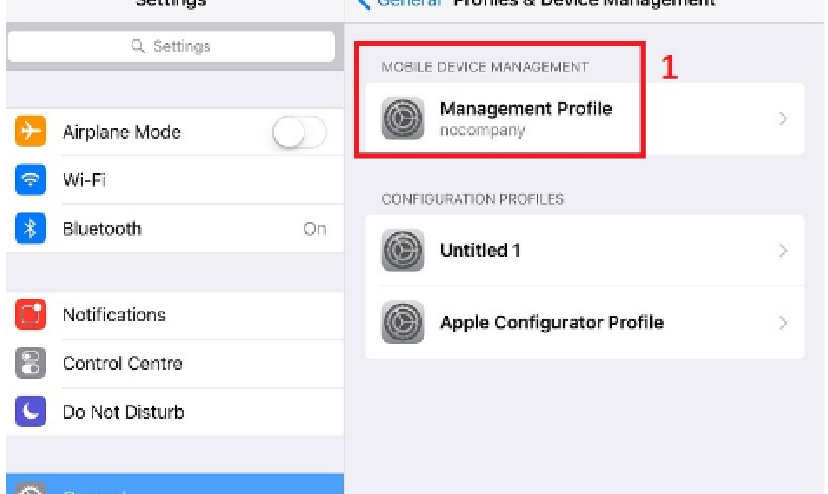
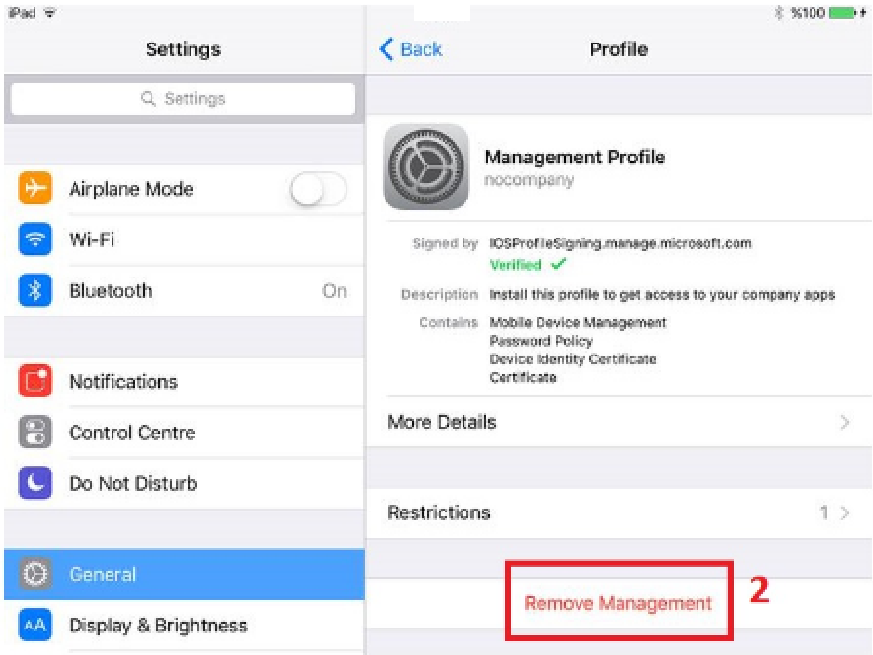
Occassionally, other schools add Wi-Fi via a Configuration Profile. If your previous school was using eduSTAR and you’re struggling to connect, this may be the problem. To delete a profile:
|
Connect to Wi-Fi & Internet
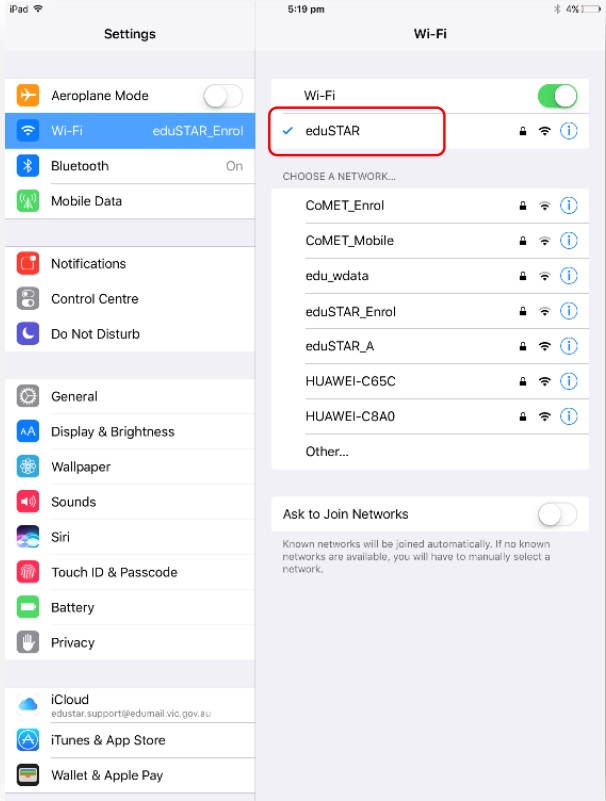
- At the college, select eduSTAR from the list of available Wi-Fi networks.
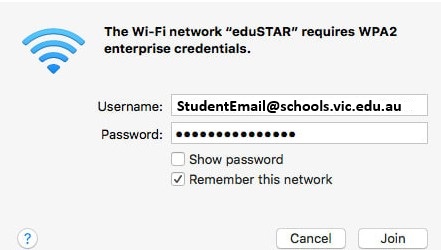
- Enter your school email address and school password from your Login Information email, or ask your teacher.
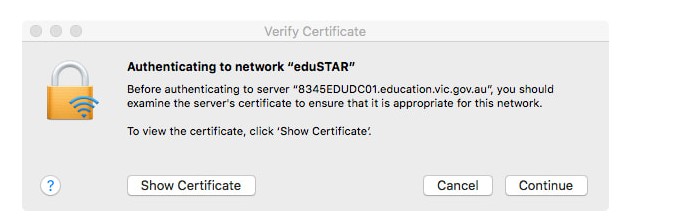
- You will be prompted to verify the certificate, click Continue.
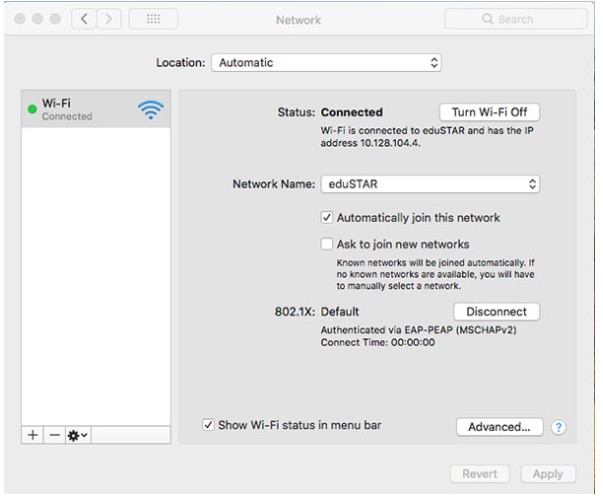
- Allow or continue to finish the connection.
- The eduSTAR wireless network should now be connected.
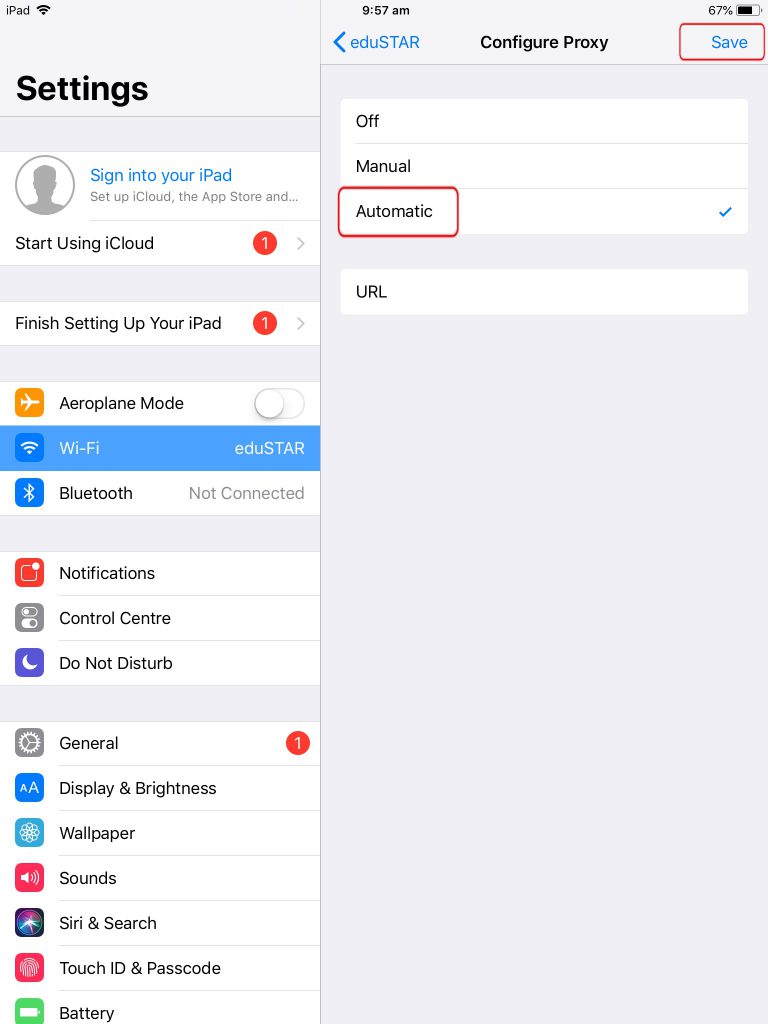
3. After successfully connecting to the WIFI network, tap the eduSTAR network, and select Configure Proxy.
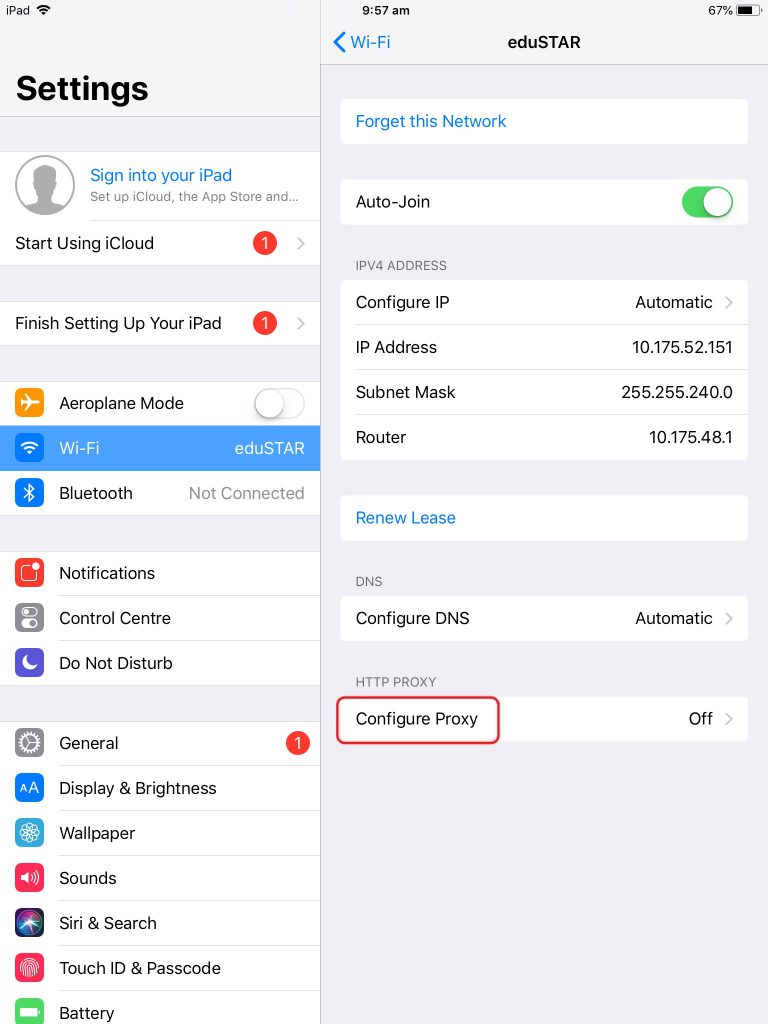
4. Select Automatic and tap Save. You’re now connected.