
Resetting Your Password
If you remember your Compass password but believe it may have been compromised, or you simply wish to change it, please follow the steps below.
-
Go to the Change My Password page by clicking here.
-
On the new page, enter your Compass/Student Code and your current password.
Your Compass code includes both letters and numbers (for example: TRA0258).
When entering your username, make sure to include the school domain “msc”.
Username format:msc\STUDENTCODE
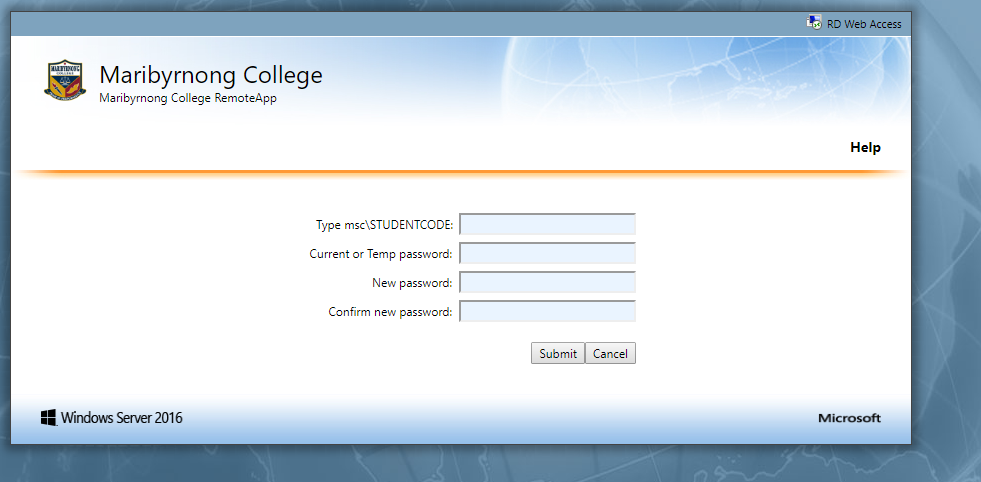 * Note for Student – If you don’t know your student code or current password, please speak to our friendly library staff and they’ll be able to assist you.
If you cannot remember your current Compass password or having trouble login into your school email, please fill the below form and we will help you to reset your password.